









|
Quantity
|
Total
|
||
|
|
|||
|
|
|||
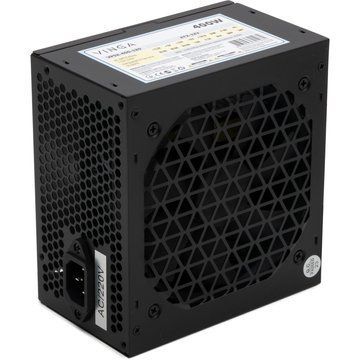
A PC power supply provides power to the processor, graphics card, storage drives, motherboard and other components. Choosing the right PSU is important for stable system operation, so its specifications should be matched to the complete PC configuration.
How much PSU power do you need?
PSU wattage should be selected based on the complete system, with particular attention to graphics card power requirements. An office PC may need a lower-wattage unit, while a powerful gaming PC with a high-end GPU requires sufficient power headroom.
Maximum wattage is not the only factor to consider. PSU quality, voltage stability, efficiency, cooling and available connectors are also important.
80 PLUS efficiency ratings
The 80 PLUS certification indicates PSU energy efficiency. Different certification levels provide a way to compare efficiency, although certification alone does not determine the overall quality of a power supply.
Modular and non-modular PSUs
Modular power supplies allow individual cables to be connected as needed. This can make cable management easier and reduce unused cables inside the case. With non-modular models, the main cables are permanently attached to the PSU.
Compatibility and connectors
Before buying, check the form factor, wattage and required connectors for the motherboard, graphics card and storage devices. Modern high-performance GPUs may also have specific power connector requirements that should be considered.
At Laptop One, you can compare specifications and buy a PC power supply for an office, gaming or workstation build.